Does your price include the hair?
Say how you charge for hair
Services → Hair you provide → Change
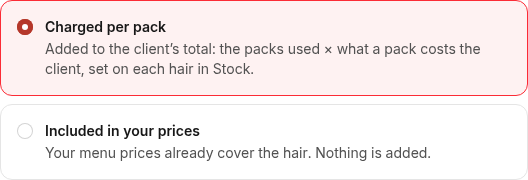
Pick Charged per pack (added to the client's total: the packs used × what the client pays a pack) or Included in your prices (your menu prices already cover the hair). It is the rule for your whole menu, shown under its title. Every salon starts on charged per pack.
A style that works the other way
Services → a style → Edit → Hair you provide
Most of your styles include the hair but boho braids don't? Open boho braids and pick Charged per pack. Or the other way round with Included in this price. Your menu lists the styles that work the other way, under its title.
Charging per pack: your price
Stock → a hair
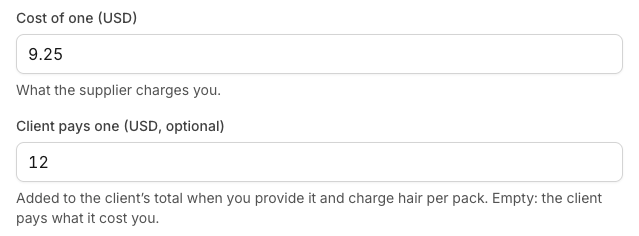
Next to what you pay a pack, fill in Client pays one: what the client pays a pack. Left empty, it's what the pack cost you. On the same page, say how many packs each style uses.
A style with no hair set adds nothing for hair. You can also add it on one booking: Hair → Add the client's hair.
When the appointment is done
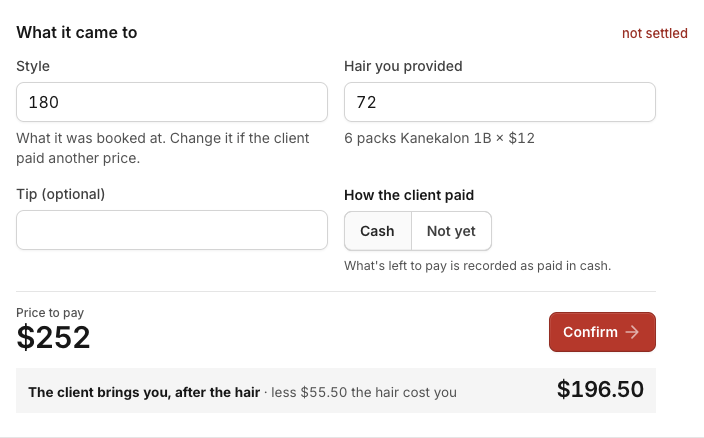
Press Finish when the client gets up. What it came to opens on the booking, filled in with the style and the hair. Add the tip if there is one and pick how the client paid: Cash records it as paid, Payment link makes a link to pay online (once online payments are set up in Money), Not yet keeps it on Money as owed. Then press Confirm.
When the client brings the hair
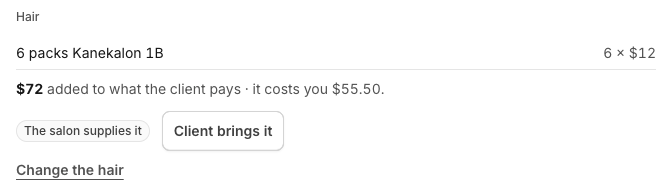
On the booking, under Hair, press Client brings it. Nothing is added for hair, and your packs stay on your shelf. On a style whose price includes the hair, the price stays: lower it at Finish if you charge less.